
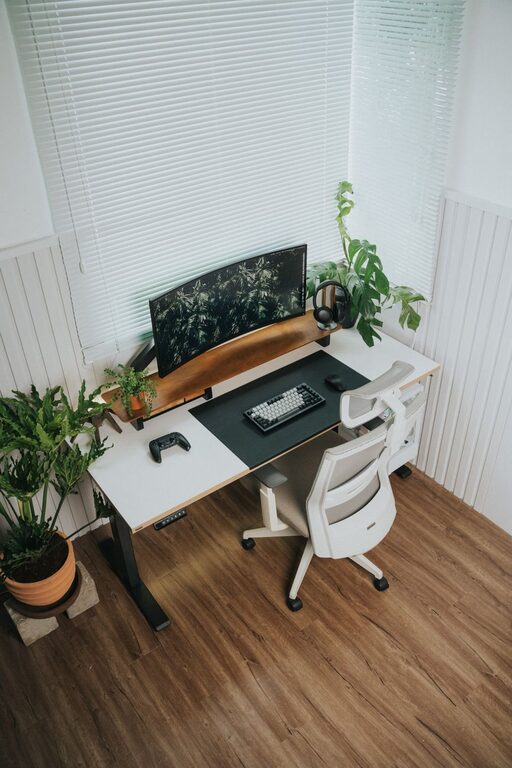
Working from home has become a common reality for many, but it can sometimes be challenging to stay comfortable and productive outside a traditional office environment. Creating a well-designed home workspace is essential for maintaining focus, reducing stress, and improving efficiency throughout your workday. Whether you have a dedicated room or a small nook, here are some practical tips to help you build a comfortable and productive home workspace.
Choose the Right Location
The first step to creating an effective workspace is selecting the best spot in your home. Consider the following when deciding where to set up:
– Natural light: Pick a space near a window to benefit from natural daylight. Natural light improves mood and reduces eye strain.
– Quiet environment: Find an area with minimal distractions, away from busy household activities.
– Space availability: Ensure there’s enough room for your desk, chair, computer, and other essentials.
Invest in Ergonomic Furniture
Comfort is key when working long hours. Ergonomic furniture supports good posture and prevents discomfort or injury.
– Ergonomic chair: Look for a chair with adjustable height, lumbar support, and armrests.
– Desk height: Your desk should allow your elbows to rest comfortably at about a 90-degree angle when typing.
– Monitor placement: Position your monitor at eye level, roughly an arm’s length away, to avoid neck strain.
Organise Your Workspace Efficiently
An organised workspace helps reduce stress and improves motivation.
– Keep only essentials on your desk: Limit desktop items to what you use daily, such as your computer, notebook, and stationery.
– Use storage solutions: Drawers, shelves, and organisers can keep clutter out of sight but within easy reach.
– Cable management: Use clips or ties to keep cables neat and prevent tangling.
Pay Attention to Lighting
Good lighting reduces eye strain and keeps you alert.
– Combine ambient and task lighting: Use ceiling lights for general illumination and a desk lamp to focus on specific tasks.
– Adjust brightness: Make sure your work area is well-lit without glare on your screen.
– Consider warm light: Soft, warm light bulbs can create a comfortable atmosphere, especially during early mornings or evenings.
Personalise Your Workspace
Adding personal touches can make your workspace inviting and boost your mood.
– Decorate with plants: Indoor plants bring a bit of nature indoors and freshen the air.
– Add photos or artwork: Display pictures or art that inspire or relax you.
– Use colour wisely: Choose calming colours for your walls or accessories, such as soft blues or greens.
Establish Boundaries and Routine
Separating work time from home life is vital when working remotely.
– Set clear work hours: Decide when your workday starts and finishes, and stick to those times.
– Designate the workspace just for work: Avoid using your workspace for leisure activities to create mental separation.
– Take regular breaks: Short breaks help maintain focus and reduce fatigue. Stretch, walk around, or enjoy a cup of tea.
Optimise Technology and Connectivity
Reliable technology supports smooth workflow and reduces frustration.
– Invest in quality equipment: Use a fast internet connection, a good microphone, and a comfortable keyboard and mouse.
– Keep software up to date: Regular updates improve performance and security.
– Use productivity tools: Applications like calendars, to-do lists, and communication platforms help you stay organised.
Maintain Good Air Quality and Temperature
Your physical comfort affects how well you work.
– Keep the room ventilated: Open windows when possible or use an air purifier.
– Maintain a comfortable temperature: Use fans or heaters to keep the space at a pleasant temperature.
– Avoid humidity: Use a dehumidifier if your workspace is damp.
Final Thoughts
Creating a comfortable and productive home workspace doesn’t have to be complicated or expensive. Focus on choosing a practical location, investing in ergonomic furniture, organising clutter, and adding personal touches that make you feel at ease. Don’t forget to set boundaries between work and personal life, and keep your technology running smoothly. With these steps, you’ll improve not just your productivity but also your overall wellbeing while working from home.